2011
09.13

The Nokia N9 running MeeGo 1.2 Harmattan is soon to be released here in Australia. I’m lucky enough to be in possession of a developers device, and I thought I’d post a quick follow-up on my previous guide for configuring iiNet VOIP (iiTalk).

Like it’s predecessor (the N900), the Nokia N9 has completely integrated support for Mobile, VOIP, Skype, and Google Talk calls – you can make and receive calls on these services just like a usual mobile call, straight from the address book or dialing pad.

This means you can use the N9 with iiTalk, rather than using a headset hooked up to a computer.

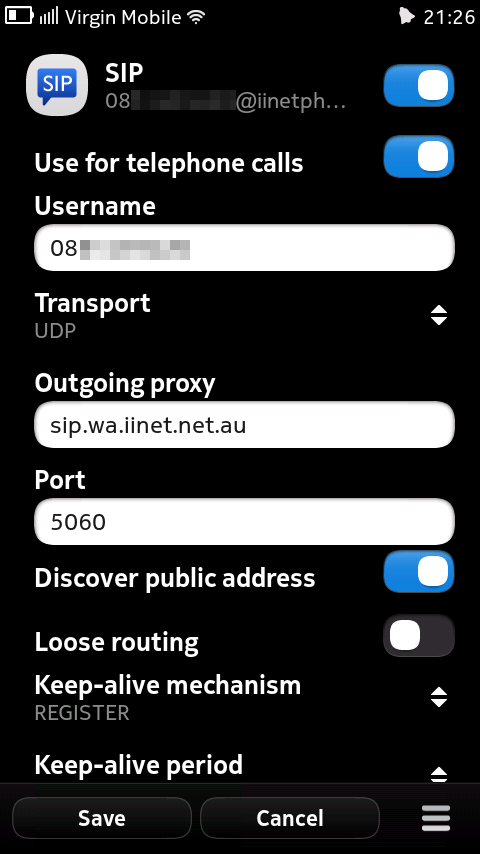
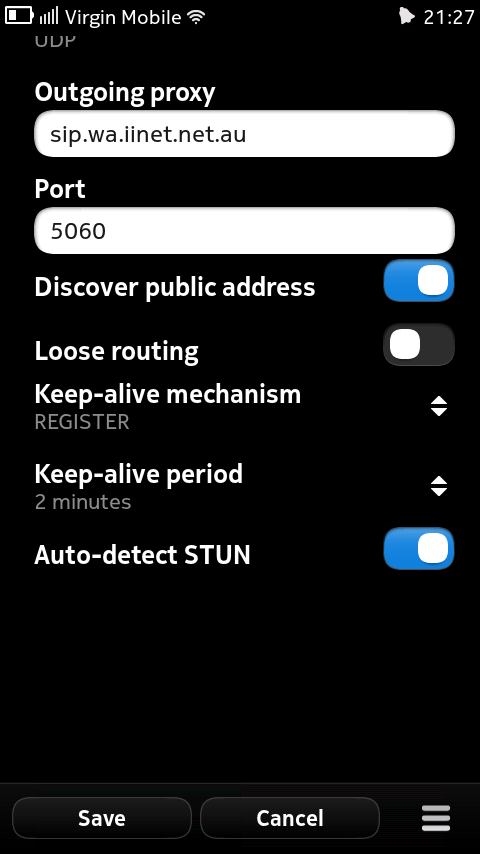
Here are the settings I configured on the phone:

Remember you will also have to configure port forwarding to the IP address of your phone on your wifi network – read iiNet’s documentation for details.

  • User name: your iiNet VOIP phone number@iinetphone.iinet.net.au
  • Password: your iiNet VOIP password (it’s different to your broadband password)
  • Use for telephone numbers: Checked
  • User name: your iiNet VOIP phone number
  • Transport: UDP
  • Outbound proxy: sip.state.iinet.net.au
  • Port: 5060
  • Discover public address: Checked
  • Loose routing: Unchecked
  • Keep alive mechanism: REGISTER
  • Keep-alive period: 2 minutes
  • Auto-detect STUN: Unchecked
2011
08.21

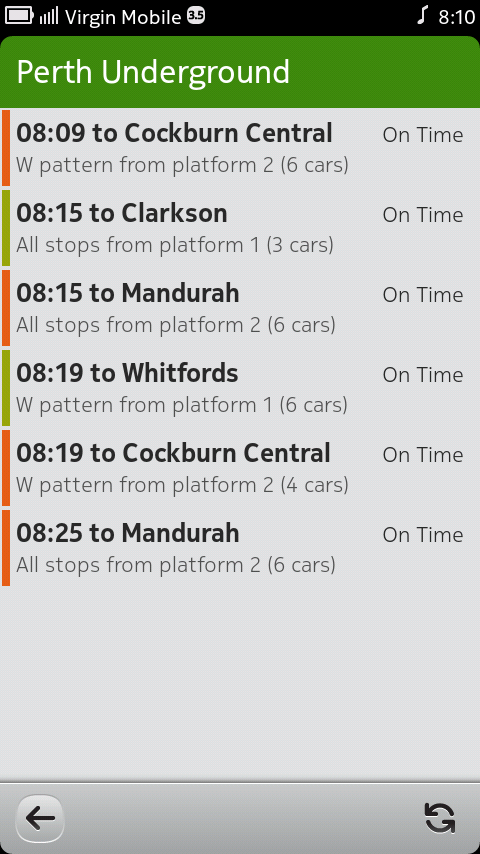
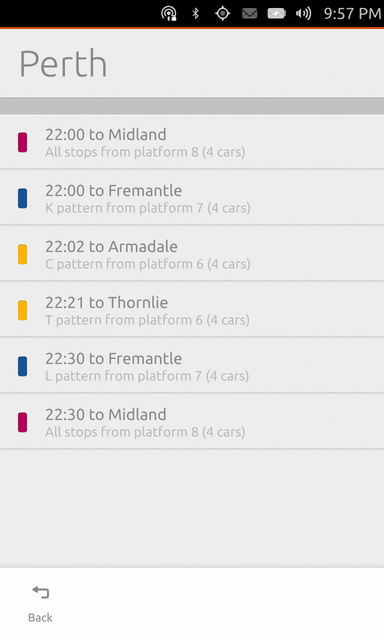
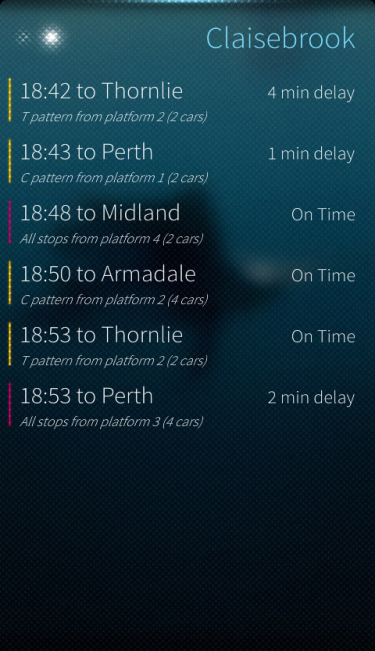
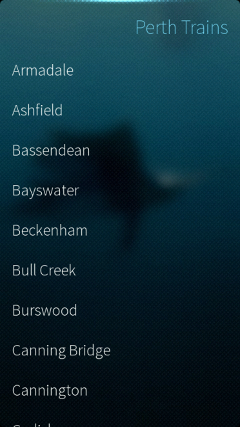
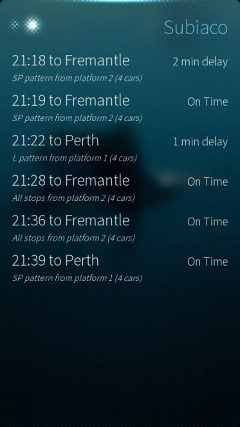
Thanks to Nokia for providing me with a N950 MeeGo 1.2 Harmattan developer device. I’ve now ported my Maemo application to PySide/QML, and a preview release of Perth Trains (v0.1) is ready.

This application provides a simple interface to check the ‘live’ departure times of train services across the metropolitan area of Perth, Western Australia.

The application can be installed by downloading the deb package.

Any feedback is most welcome. The project homepage is at: http://projects.developer.nokia.com/perthtrains

The application uses Python/Qt (PySide/QML). Source code is hosted at gitorious.

2010
06.21

Just a quick heads up to warn people who may be relying on Heart Internet’s “Full DNS Management” service which is included when registering/managing domains through them.

The problem I discovered was with creating multiple TXT records. The scenarios for this have become much more commonplace recently, for example on one of my domains I wished to create an SPF record, an SPF v2 record, and a Google DNS domain verification record (for use with Google Webmaster Tools) – not an unreasonable expectation.

When creating TXT records, the system will only allow one TXT record per “node” (root-domain or subdomain). There are no error messages or warnings – just that further TXT records don’t appear after “saving” the changes.

In January, I contacted Heart Internet’s support asking them to investigate the issue. The reply wasn’t very reassuring:

“However, if you require the ability to add multiple SPF/TXT records to the same node then this will involve an update to our system so I recommed you submit that request using the Feedback form in your control panel. It will then be reviewed by the relevant department and you will not usually receive any reply unless they require more information.”

I completed the feedback form, but true to the original support response – I did not receive any reply.

I don’t think I’d have an issue with this as long as the limitations of their DNS management were made clear, however the text used to describe the service on the domain registration sales page is “Full DNS Management”, and full DNS management this is not.

By May, I still had received no reply (not unsurprisingly considering the tone of the ticket response). I tried to create a second TXT record, but still had no success. I re-opened my original ticket, claiming that the “Full DNS Management” statement could be misleading, but I just received the stock-response again:

“I understand but I strongly recommend you submit the Feedback form again with your suggestion as it will then be dealt with by the relevant department. Please note that you will not receive a reply unless they require more information from you.”

My request, was not a suggestion – it is reporting a bug with their “Full DNS Management” platform.

Finally, I’d like to say that all other aspects of their domain services I have used have been great (I haven’t tried the hosting products). I would still recommend them for domains, as long as you are sure you will never require multiple TXT records! I hope by bringing this issue to attention that action may actually be taken to resolve it.

Update 26/06/2010: Heart Internet sent me a message on Twitter to let me know this problem has now been fixed! Excellent!

2010
01.16

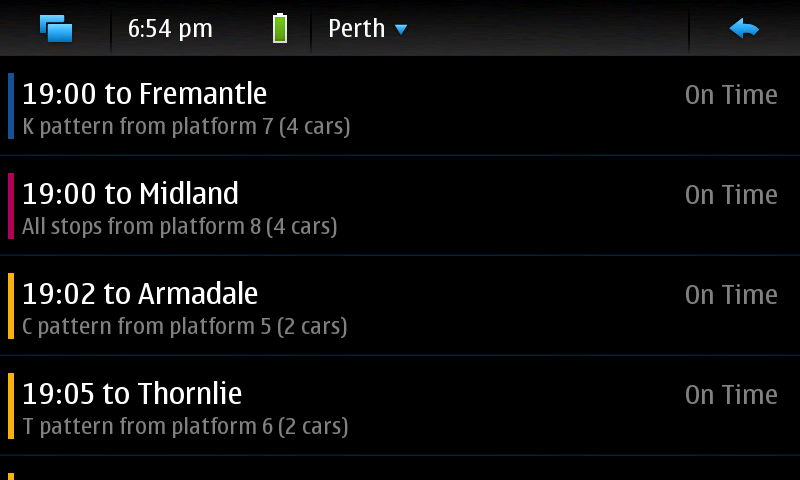
I have been playing around with pygtk (python and GTK), and have managed to come up with something resembling an app to provide live departure times for Transperth trains:
Perth Train Departure Board
I’ve named “Fremantle Line” after Maemo 5′s codename, Fremantle. It is also the destination of one of Perth’s 5 train lines.

It also works in portrait mode:

It is primarily intended for the Maemo 5 platform on the Nokia N900, but will also run under Ubuntu:

Still needs plenty of work, but I am finding it quite useful while out and about in Perth.

2009
12.26

iiNet VOIP iiTalk N900

I just succeeded in configuring iiNet’s VOIP service (I get iiTalk free with my DSL connection) on the Nokia N900 mobile phone. One of the many great features of the N900 is that it has completely integrated support for Mobile, VOIP, Skype, and Google Talk calls – you can make and receive calls on these services just like a usual mobile call, straight from the address book.

This now means I can use iiTalk from my handset, rather than using a headset hooked up to my desktop computer.

For reference, here are the settings I configured on the phone:

Remember you will also have to configure port forwarding to the IP address of your phone on your wifi network – read iiNet’s documentation for details.

iiNet VOIP iiTalk N900 Settings #1

  • User name: your iiNet VOIP phone number@iinetphone.iinet.net.au
  • Password: your iiNet VOIP password (it’s different to your broadband password)

iiNet VOIP iiTalk N900 Settings #2

  • Use for telephone numbers: Checked
  • User name: your iiNet VOIP phone number
  • Transport: UDP
  • Outbound proxy: sip.state.iinet.net.au
  • Port: 5060

iiNet VOIP iiTalk N900 Settings #3

  • Discover public address: Checked
  • Loose routing: Unchecked
  • Keep alive mechanism: REGISTER
  • Keep-alive period: 2 minutes
  • Auto-detect STUN: Unchecked